 Magento 2 extension
AI Personal Shopper
A conversational AI sales assistant for your storefront. It understands natural language, searches your real catalog, proposes products and categories, resolves support questions on its own, and opens a ticket only when a human is truly needed.
See it for yourself
Every screenshot on this page is real, captured from our own live demo store — open it and try the exact flow above with your own questions.
Try the assistant on demo.codingrow.comInstant delivery: your license key is emailed right after checkout.
Perpetual license — no recurring fee for a single module.
1 year of updates & support included — renew at −35% to keep upgrading; the versions you are entitled to stay yours forever.
30-day money-back guarantee.
What this actually fixes
Before the feature list — the problems. An AI chat is worth installing only if it removes real friction. Here is exactly what breaks today on a storefront without one, and how the assistant closes each gap.
Customers can't find what they're looking for
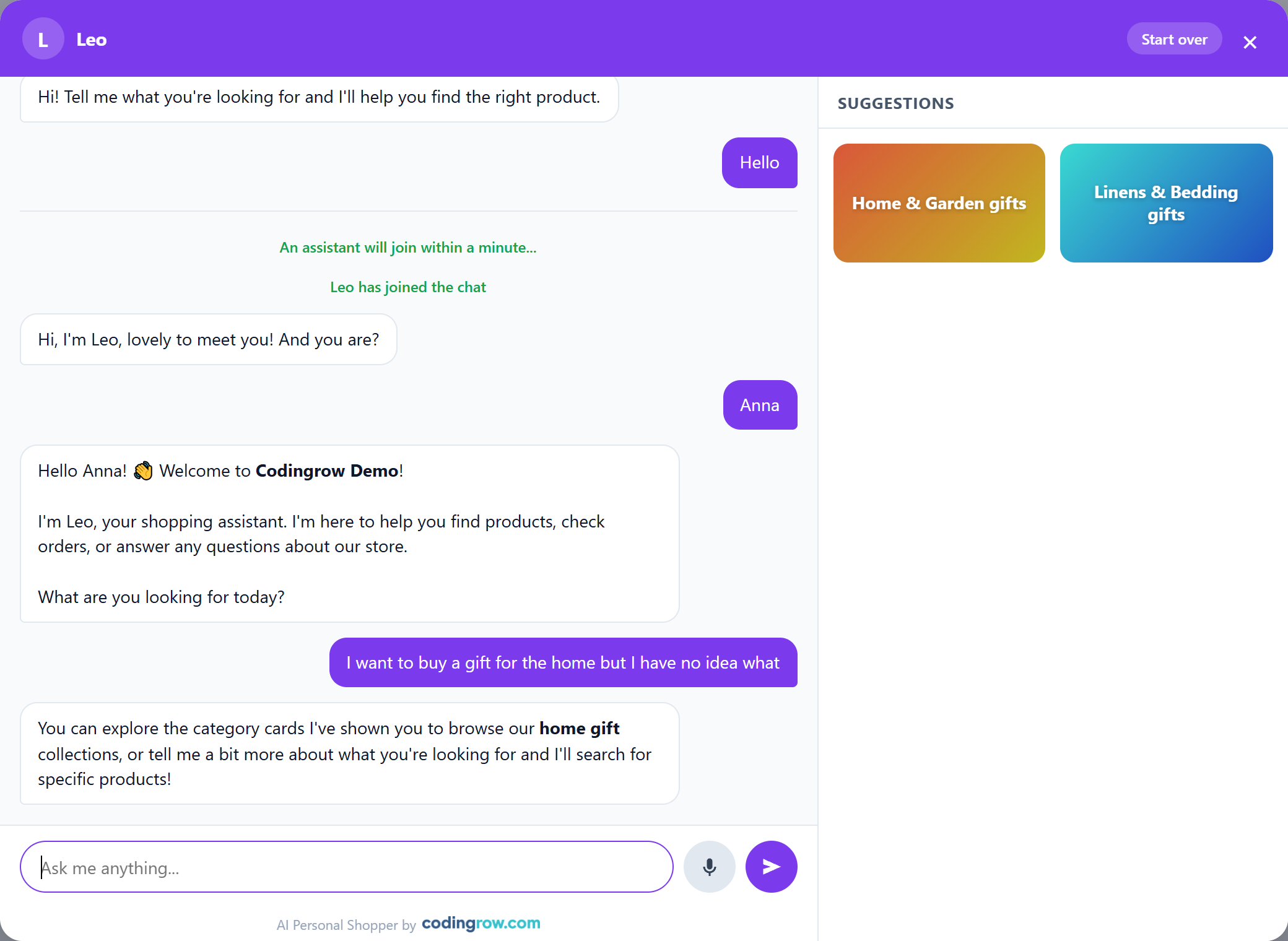
A shopper searches for "winter jacket" but the product is tagged "padded coat", or gets lost in a filter sidebar that doesn't match how they actually think. Zero results, and they leave. How it's fixed: the assistant understands the request in plain language, searches the live catalog by meaning rather than exact keyword match, and — when the request is genuinely vague ("a gift for the house, not sure what") — shows category cards instead of a dead end, so the customer is guided even when they can't name what they want.
Carts abandoned over a question nobody answered
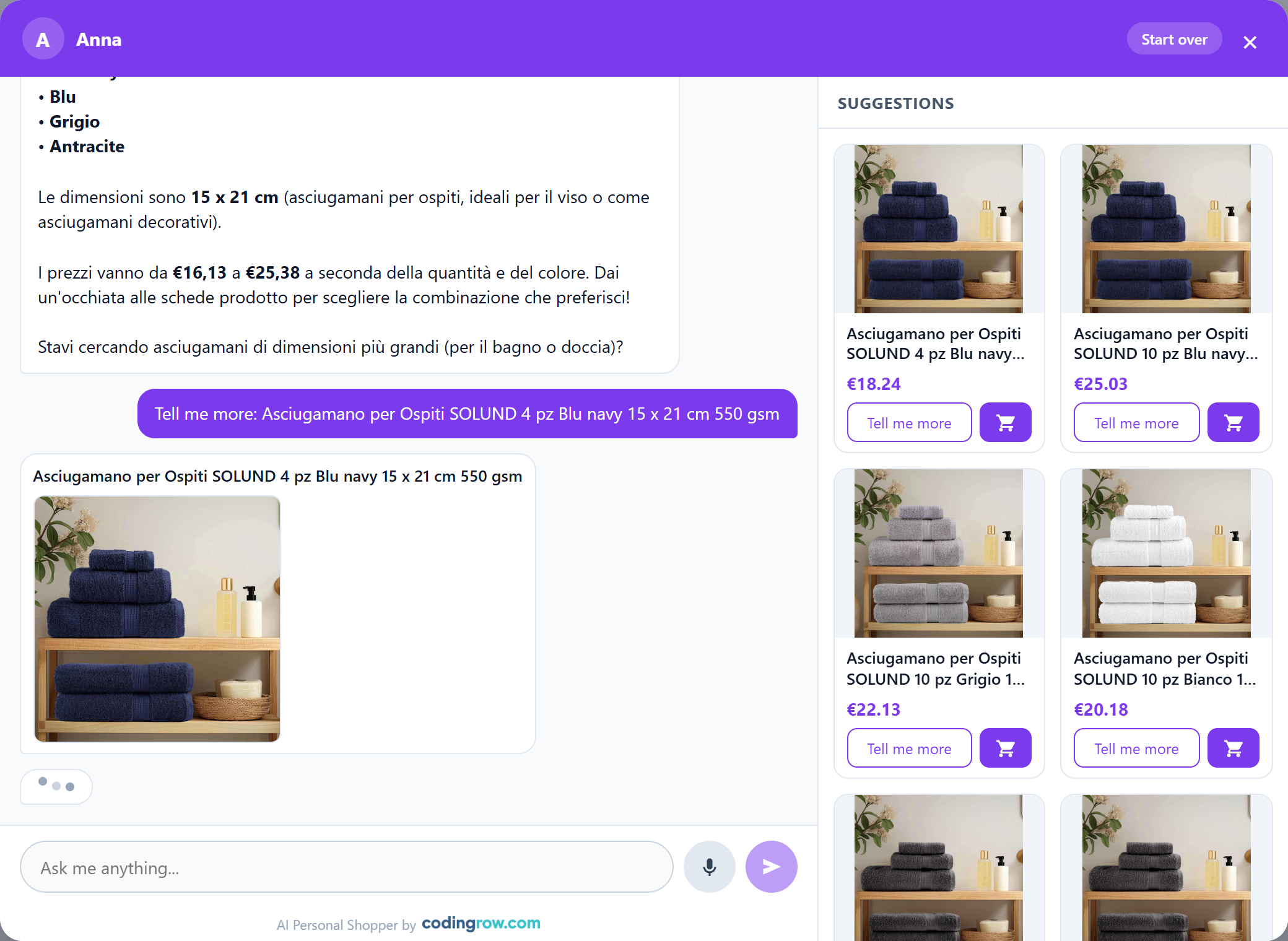
A shopper is close to buying, has one unresolved doubt — sizing, material, delivery time — finds no fast answer, and quietly closes the tab. Most of that hesitation never becomes a support ticket; it just becomes a lost sale. How it's fixed: the assistant answers follow-up questions right inside the chat — "Tell me more" pulls in a fuller description and image without ever leaving the conversation — so the doubt gets resolved in the same moment it appeared.
Support drowning in the same ten questions
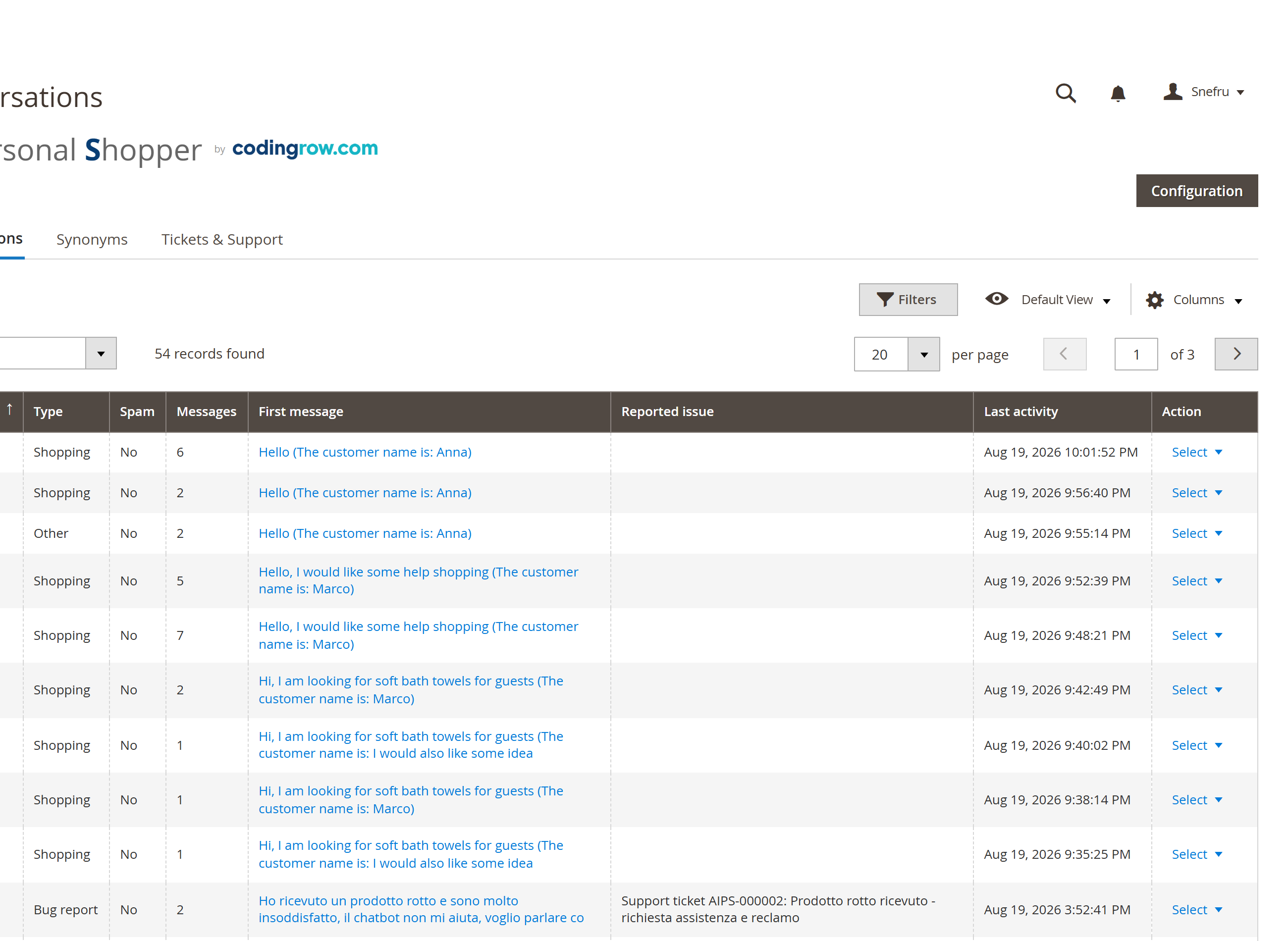
Order status, return policy, "is this in stock", sizing — a handful of low-value, repetitive questions eat most of a support team's day, leaving less time for the complex cases that genuinely need a person. How it's fixed: the assistant resolves the large majority of these on its own, and every conversation is automatically classified in the console — Shopping, Support, Bug report, Possible spam — so your team spends time only on what truly needs a human.
How a conversation unfolds
Every visit starts like a conversation with a real assistant, not a script — and most of the time it ends there too, without ever reaching a human.
The full flow, phase by phase
Phase 0 — The assistant lives on your store
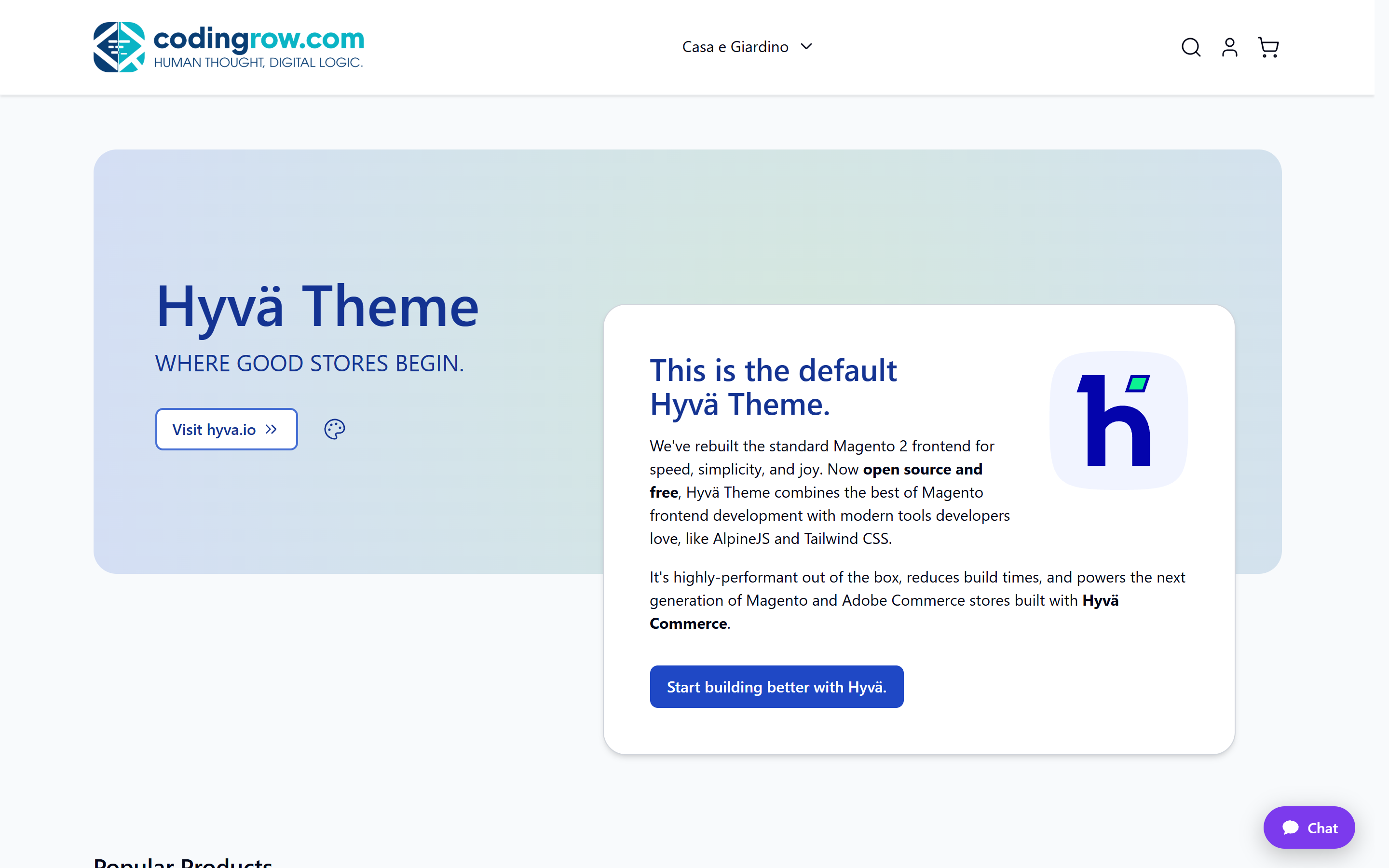
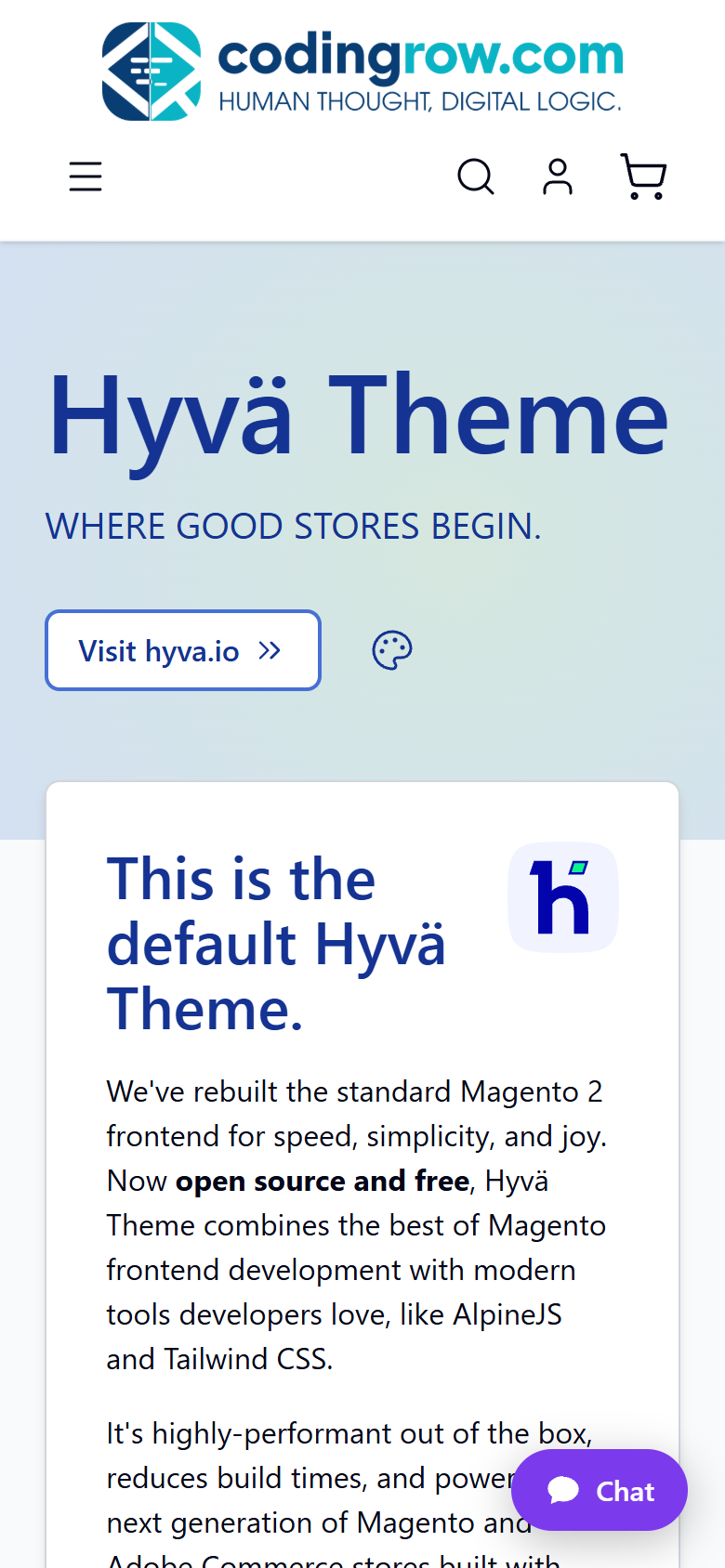
Every storefront page carries a small pill-shaped launcher in the corner — unobtrusive until the customer needs it, always one click away.
Phase 1 — Opening the chat
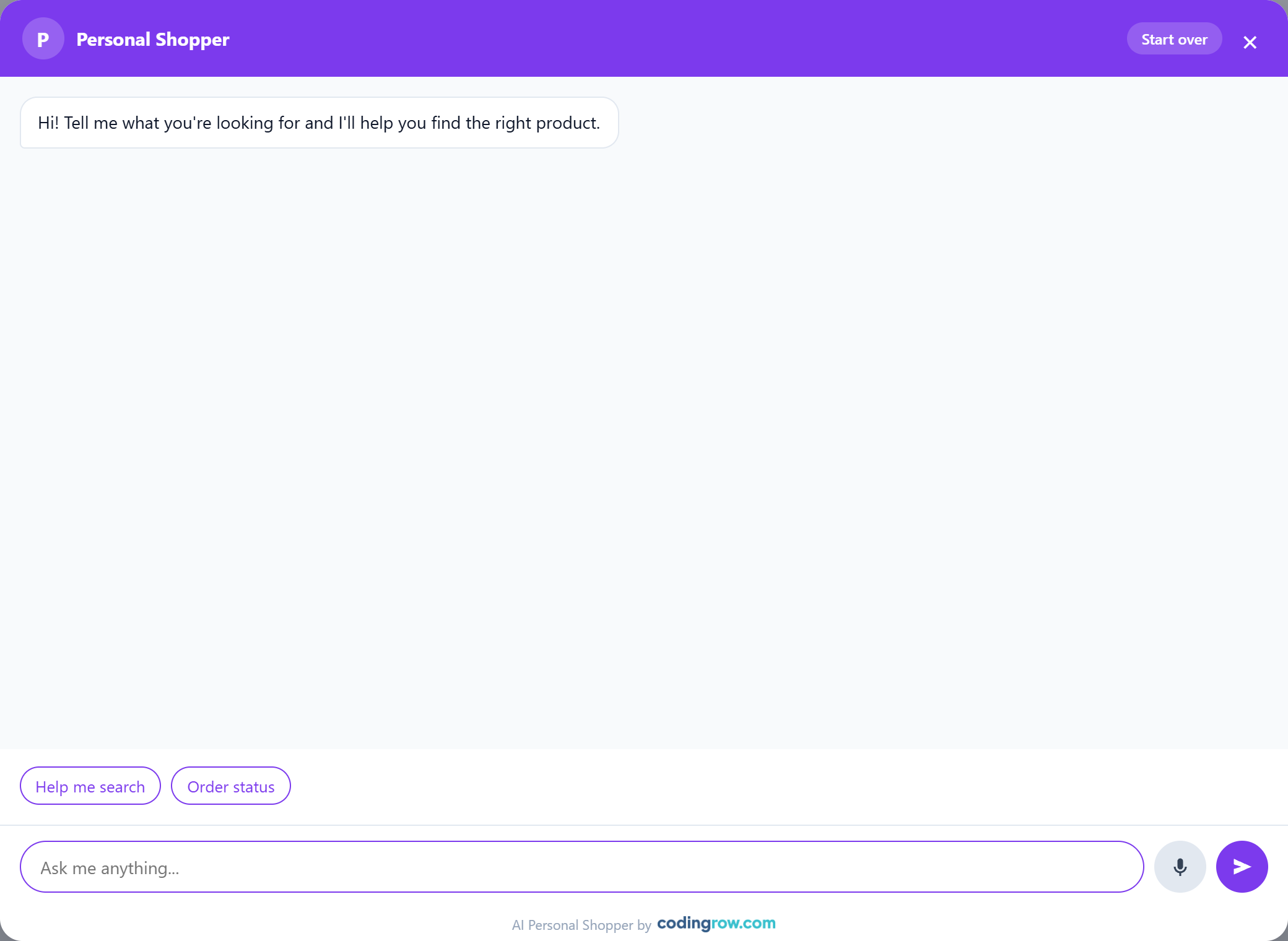
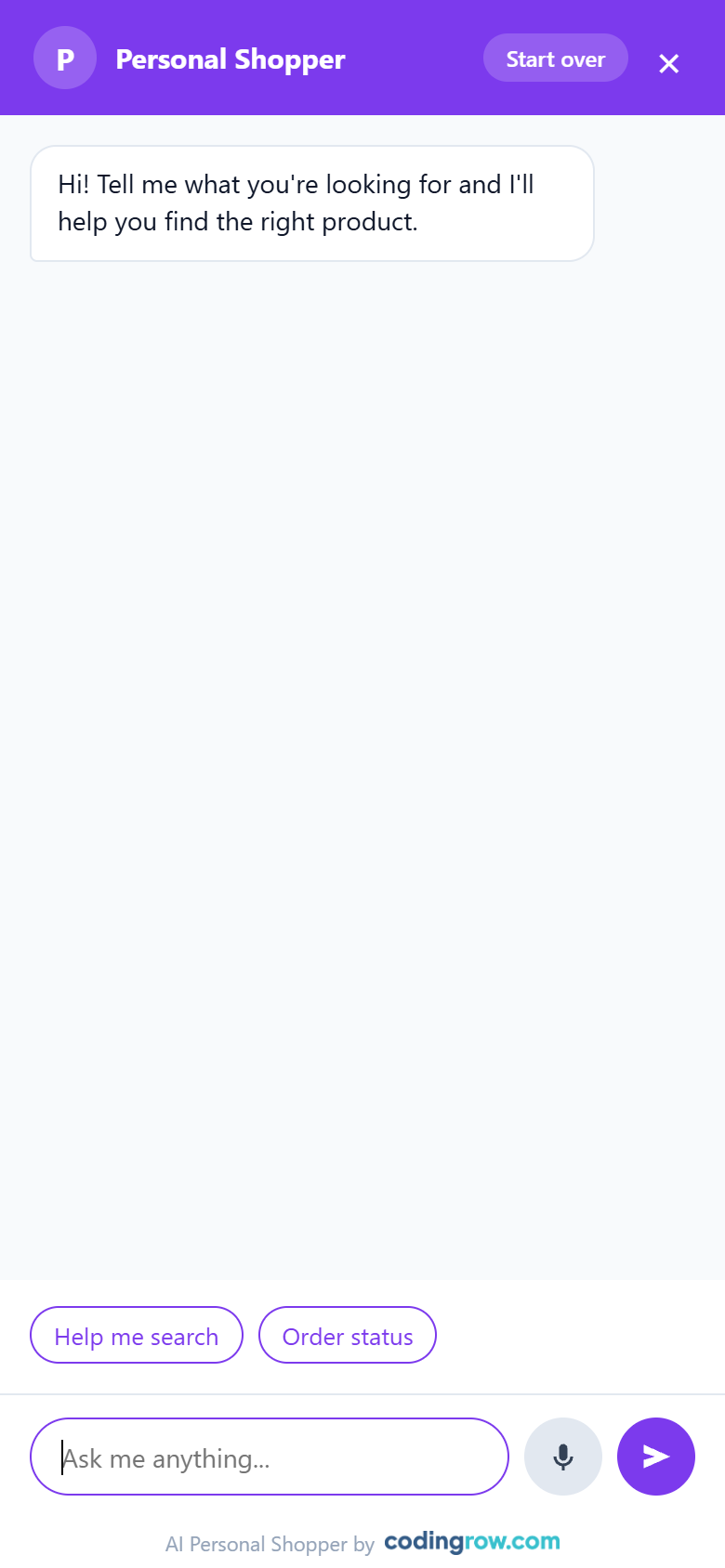
The customer clicks the launcher. The chat opens with a greeting and a row of quick-reply chips — "Help me search", "Order status" — so a first message isn't even necessary to get moving.
Phase 2 — A human-like entrance, not a generic bot
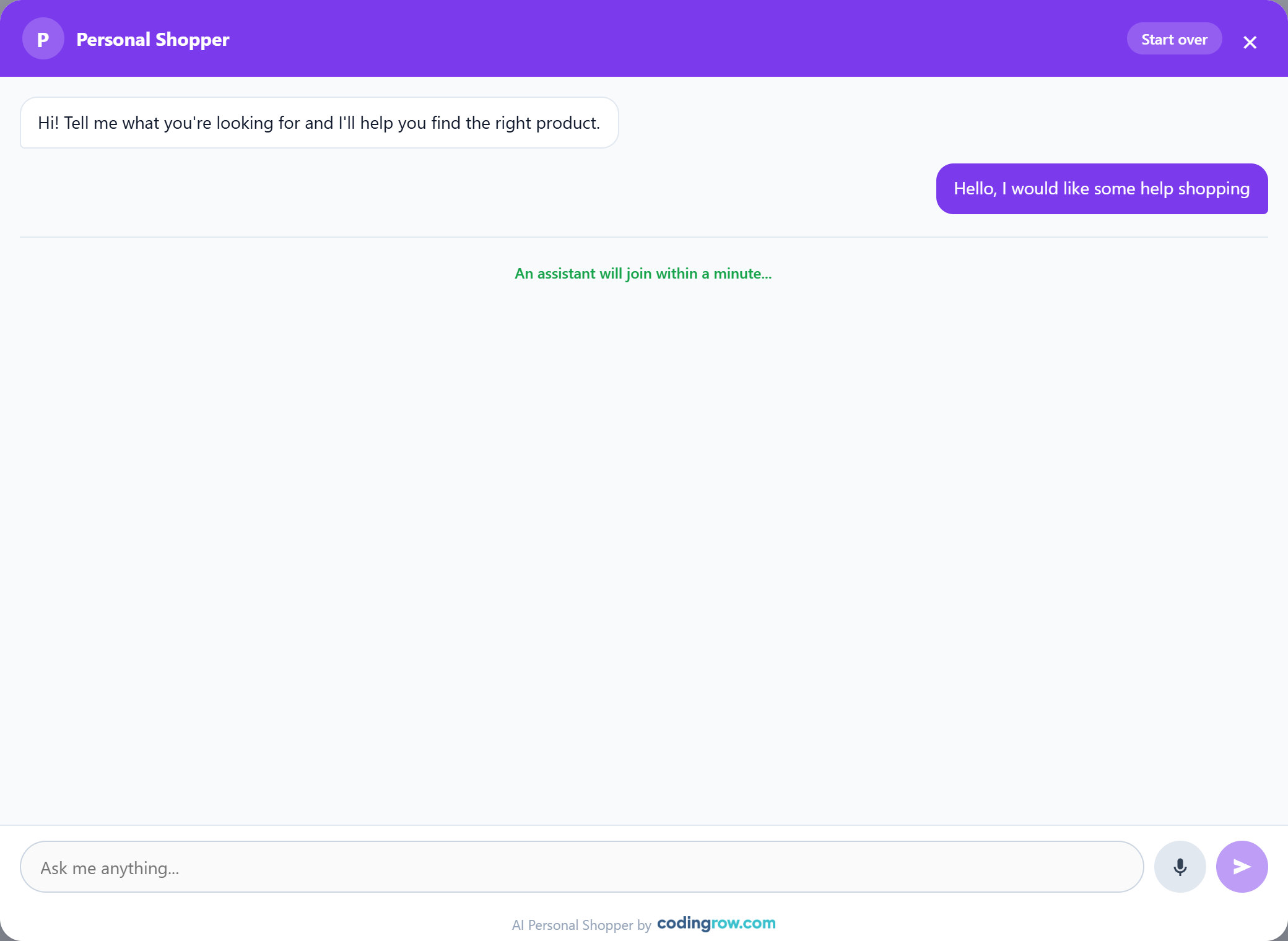
Instead of an instant canned reply, the widget shows a short "connecting…" beat, then a named operator — e.g. "Leo" or "Anna" — joins with a live presence dot and asks for the customer's name. It reads like being connected to a real person, because the ritual is deliberately realistic.
Phase 3 — Answers grounded in the real catalog
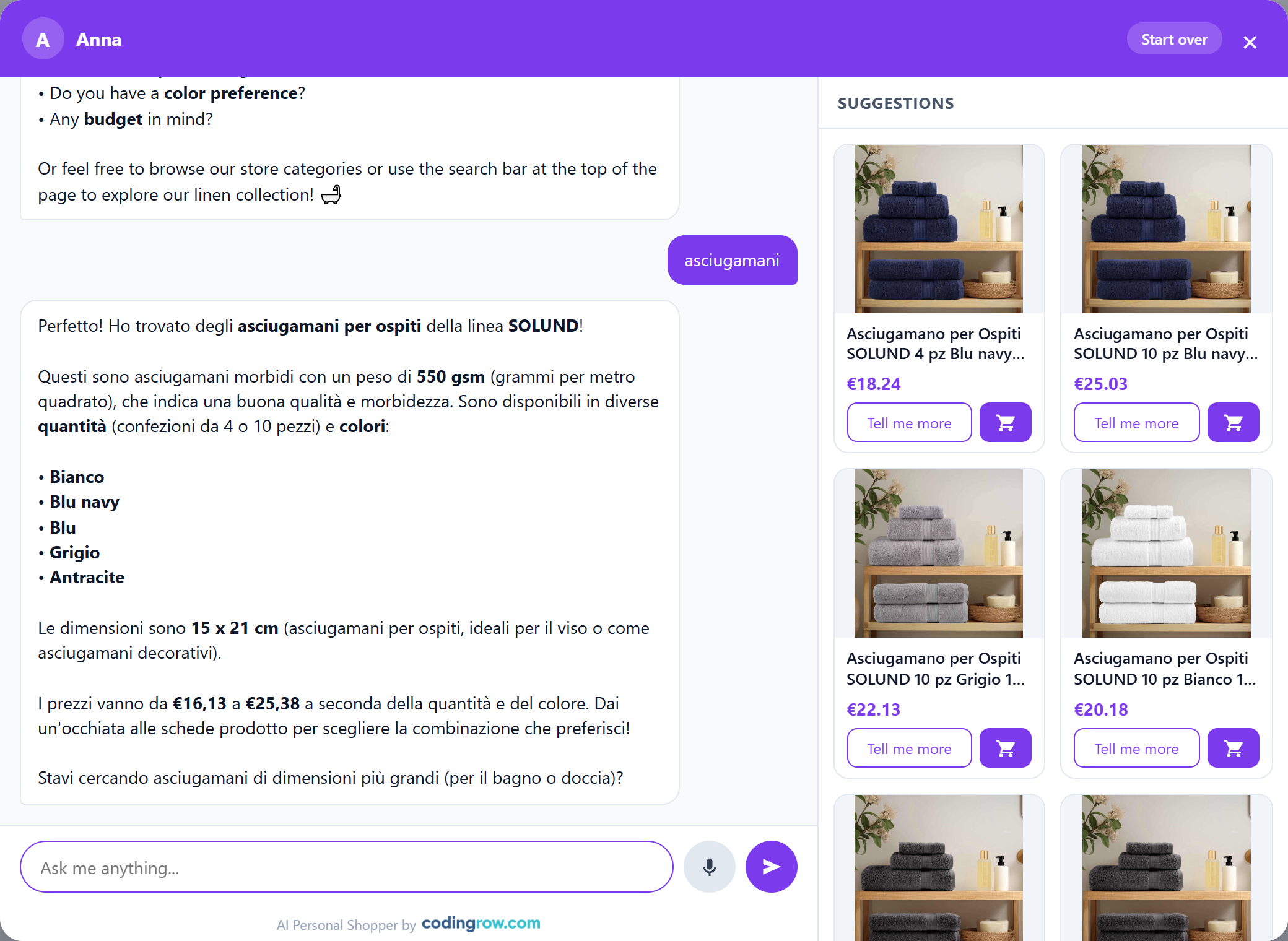
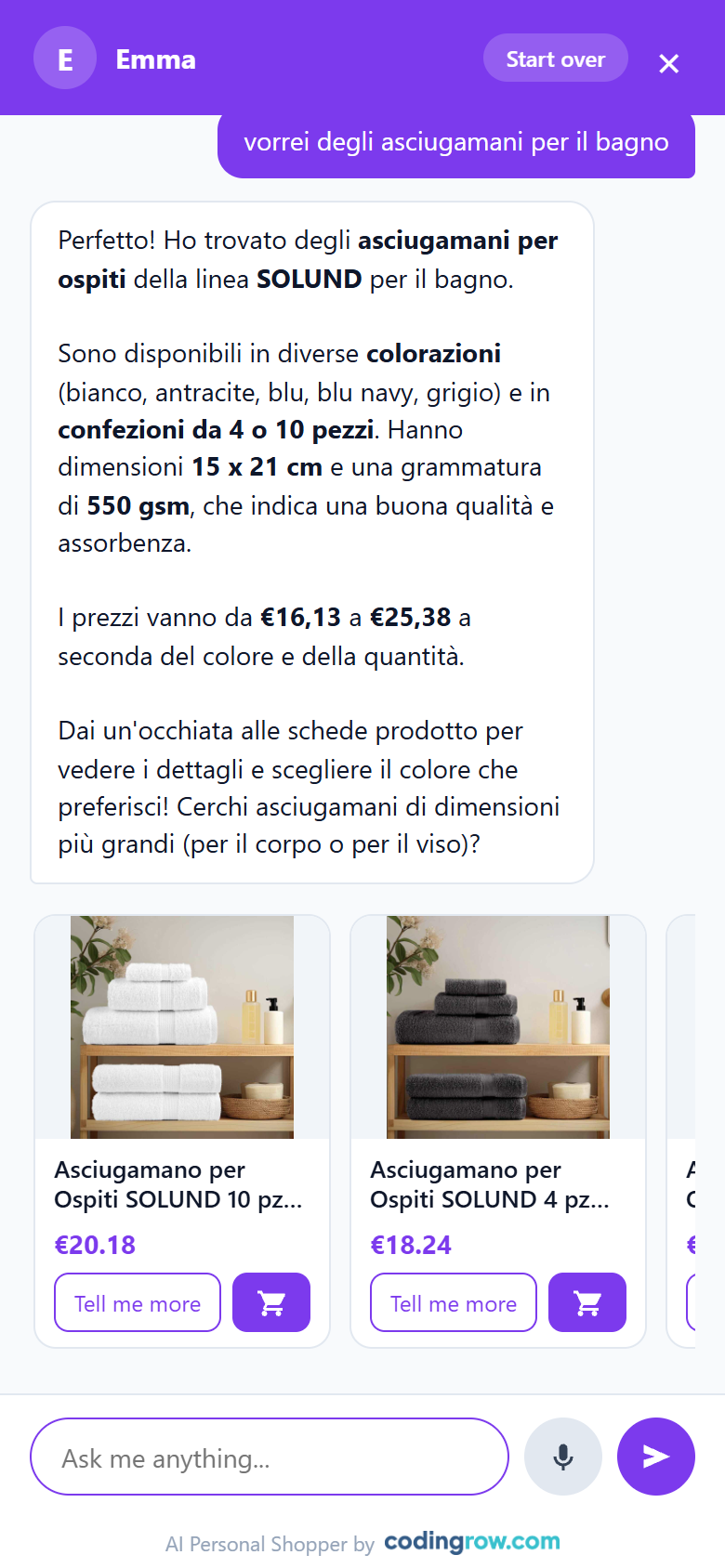
Example: the customer types "I need running shoes under 80 euros". The assistant searches the live catalog — not a static index — and replies with a grid of product cards: image, name, price, discount badge, and "Add to cart" / "Tell me more" buttons on each. Every product shown is actually in stock; nothing is invented. In this example, 14 real matches came back.
Phase 3b — When the customer doesn't know what to search for
Example: "a gift for the house, not sure what". There's no single obvious product to show, so the assistant proposes category cards instead — each with a short synthetic label summarizing what it understood — turning a dead-end query into a starting point.
Phase 4 — Going deeper without leaving the chat
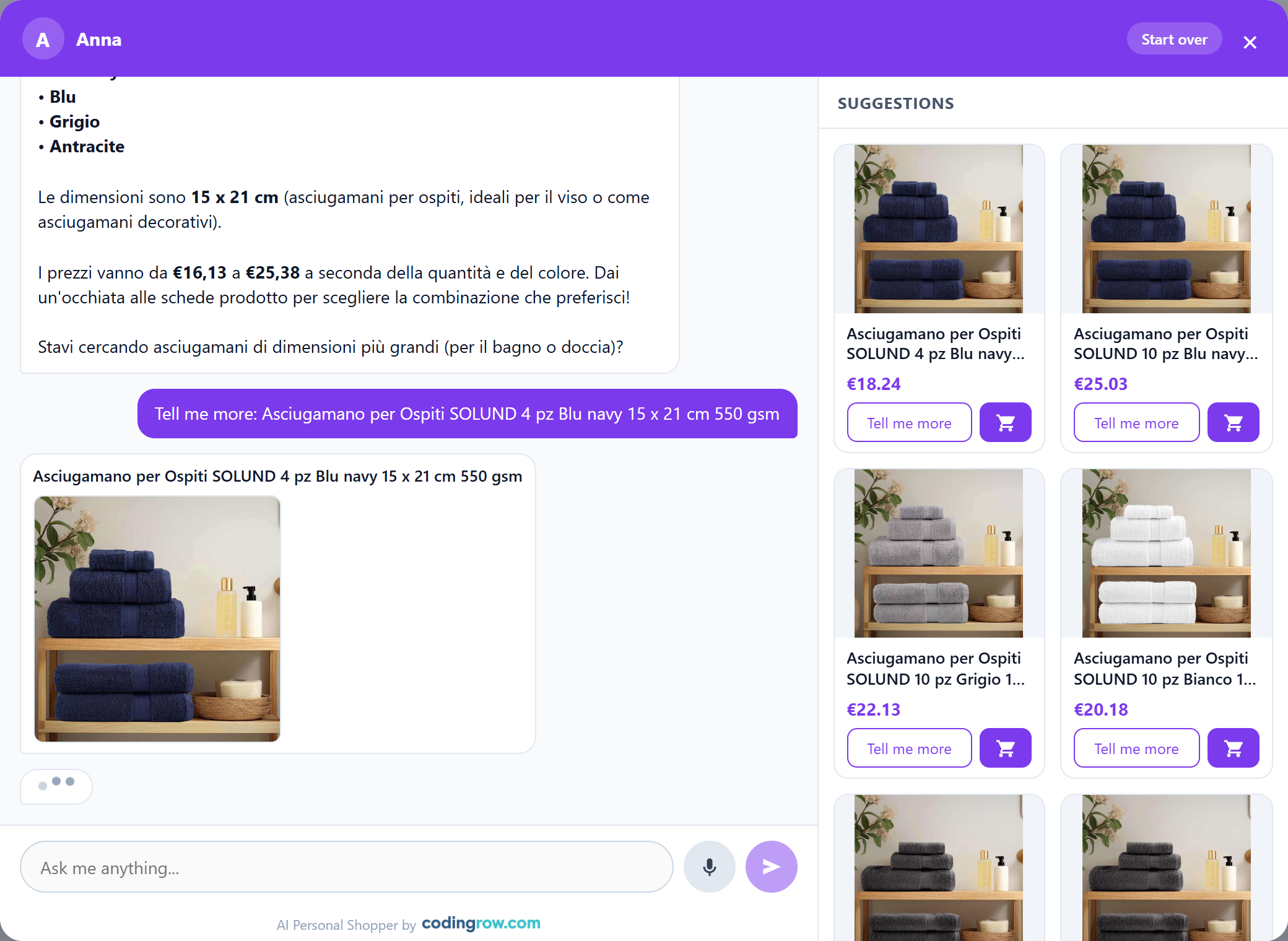
The customer taps "Tell me more" on a card. The assistant writes a fuller description in the chat itself, together with the product image, so the doubt gets resolved on the spot — no tab-switching, no losing the thread of the conversation.
Phase 5 — Buying, inside the conversation
The customer taps "Add to cart". A quantity selector (− 1 +) appears right on the card to confirm before it's added — the purchase happens without ever leaving the chat or losing the context of the conversation.
The same flow, on mobile
Same widget, same logic, same real catalog data — resized, not redesigned.
It doesn't just help. It sells.
Search is only the front door. From there the assistant works like a real salesperson: it narrows to the few right options, suggests matching add-ons at the right moment, and never ends in a dead end. Here are a few conversations, in different languages.
Simulated examples — click the tabs.
Hi, I'm Anna! Tell me what you're looking for 🙂
I'd like a small wooden coffee table, nothing too big
Great! We have them in solid mango, compact and sturdy. Take a look:
🛒 Added to cart: Chestnut London Coffee Table
Great choice! To finish off the corner, these two go beautifully with light wood:
got any chester drawers for the bedroom?
Of course! A chest of drawers for the bedroom — we have several in wood, take a look:
💡 Synonym learned: «chester drawers» → «chest of drawers»
My chest of drawers arrived with a scratch.
I'm so sorry! So our team can sort it out quickly, I'll need your email and order number.
anna@example.com — 100042390
Do you have ceramic laundry sinks?
Ceramic laundry sinks we don't carry yet in our catalogue — we're more about furniture and home décor. But if you're fitting out a small laundry area, we can definitely help: a space-saving cabinet or a laundry hamper with a worktop. Shall I show you?
Where's my order?
Happy to check! For security, could you confirm the order number and the email you used?
100051234 — maria@example.com
Perfect, María! Your order is 🚚 on its way — delivery expected Thursday. Anything else I can help with?
I need a slim console for a narrow hallway
This hand-painted mango console is only 25 cm deep — made for narrow hallways — with a drawer for keys and post. Its French-grey finish brightens an entryway:
Sizes, colours and kits: the choice happens inside the chat
A catalogue made of variants is not harder to sell — it just needs a few more questions. The assistant asks them itself, one at a time, inside the conversation, and the right product lands in the cart without the customer opening a single page.
looking for a blue work jacket
What size do you wear?
Size
And the colour?
Colour
Quantity
Work jacket — Navy, M × 1 added to the cart
do you have a maintenance kit?
How many of each?
2 items added to the cart — Oil × 1, Cloth × 2
I would like the modular workbench
Which worktop?
Worktop
And the vice?
Vice
Shall I add the spanner set too? It is optional.
Spanner set (optional)
Modular workbench — 3 options chosen, € 288.00 added to the cart
Choices are drawn the way you configured them in Magento: colours with their real hex code, sizes as a large readable value, long lists as a dropdown. Sold-out options stay visible, greyed out, with a switch to hide them if you prefer; options that can still be ordered are never greyed.
It can speak first — if you switch that on
A shop assistant who speaks first either sells more or annoys, and only you know how you talk to your customers. That is why everything proactive is off to begin with, and why the chat window never opens by itself: the assistant lights the dot on the button and waits.
- The customer adds something to the cart while browsing the shop: the assistant prepares a couple of pairings and lights the dot. Whoever is in a hurry goes to checkout undisturbed; whoever is curious opens it and finds the suggestion ready.
- The customer has been sitting on a page for a while and never opened the chat: it offers a hand. That sentence is written by the widget, so it costs nothing.
- Never on the cart or the checkout: someone who is paying is not to be disturbed. And conversations born this way are recognisable in the console, from the Origin column.
The business case: more sales, lighter support load
These are industry ranges for conversational-commerce assistants, offered for context — not a promise for your store. Actual results depend on your catalog, your traffic and how the assistant is configured.
Both figures are industry-level estimates for conversational AI in e-commerce, cited here for context — not a performance guarantee. Your own results depend on your catalog, your traffic and how you configure the assistant.
See it for yourself
Every screenshot on this page is real, captured from our own live demo store — open it and try the exact flow above with your own questions.
Try the assistant on demo.codingrow.comWhat the assistant does
- Understands natural language questions about products, budget and needs — no dropdown filters required.
- Asks clarifying questions when a request is vague, instead of dumping a wall of results.
- Shows rich product cards: image, price, discount badge, "Add to cart" and "Tell me more" buttons.
- Shows category cards with a synthetic label when a request is too broad for a single product.
- Offers quick-reply buttons whenever it proposes a short list of discrete choices.
- Searches directly against your live catalog with relevance ranking — no separate index to build or rebuild.
- Realistic entrance ritual: a named operator and a live presence dot, not a generic bot greeting.
- Remembers the conversation: chat history persists across page views in the same session.
- Starts in the store's language and switches to the customer's language automatically.
- Company branding: your logo (fixed height, never deformed) or company name, plus a configurable header/accent color.
- Looks up real order status for logged-in customers, or for guests who confirm order number + email.
- Theme-agnostic Shadow DOM widget: renders identically on Hyvä and Luma, with no template changes.
- Curated, real-time product shelf: the cards reshuffle every turn as the conversation narrows, and follow implicit hints — "the second one", "the mango one", "the cheaper one".
- Page-aware: when the chat is opened from a product page, implicit questions ("is it electric?", "how big is it?") are resolved about that exact product.
- Session memory: after a pause the chat starts a fresh, linked session — yet the assistant still remembers the previous one, so the customer never repeats themselves.
- Logged-in customers skip the entrance ritual and start straight away; the console shows a searchable Customer column (name, and email when logged in).
- Human conversational timing: the "typing" pause scales with the reply length, after a natural thinking delay — it feels like a real person, not an instant bot dump.
- Knows your active promotions and brings them up at the right moment.
- Answers on your policies (returns, shipping, warranty) straight from your CMS pages or a URL, cached; during a holiday closure it proactively tells customers when shipping resumes.
- AI lens in the storefront search bar: it forwards whatever the customer already typed straight into the chat — a second, high-traffic entry point.
Bring your own AI — a pool of models that never goes down
Choose your providers and models and paste your own API keys — you are always billed directly by the provider, never with a markup from us. But the AI is no longer a single setting: it is a pool you manage in the AI — Models tab, so one model is never a single point of failure.
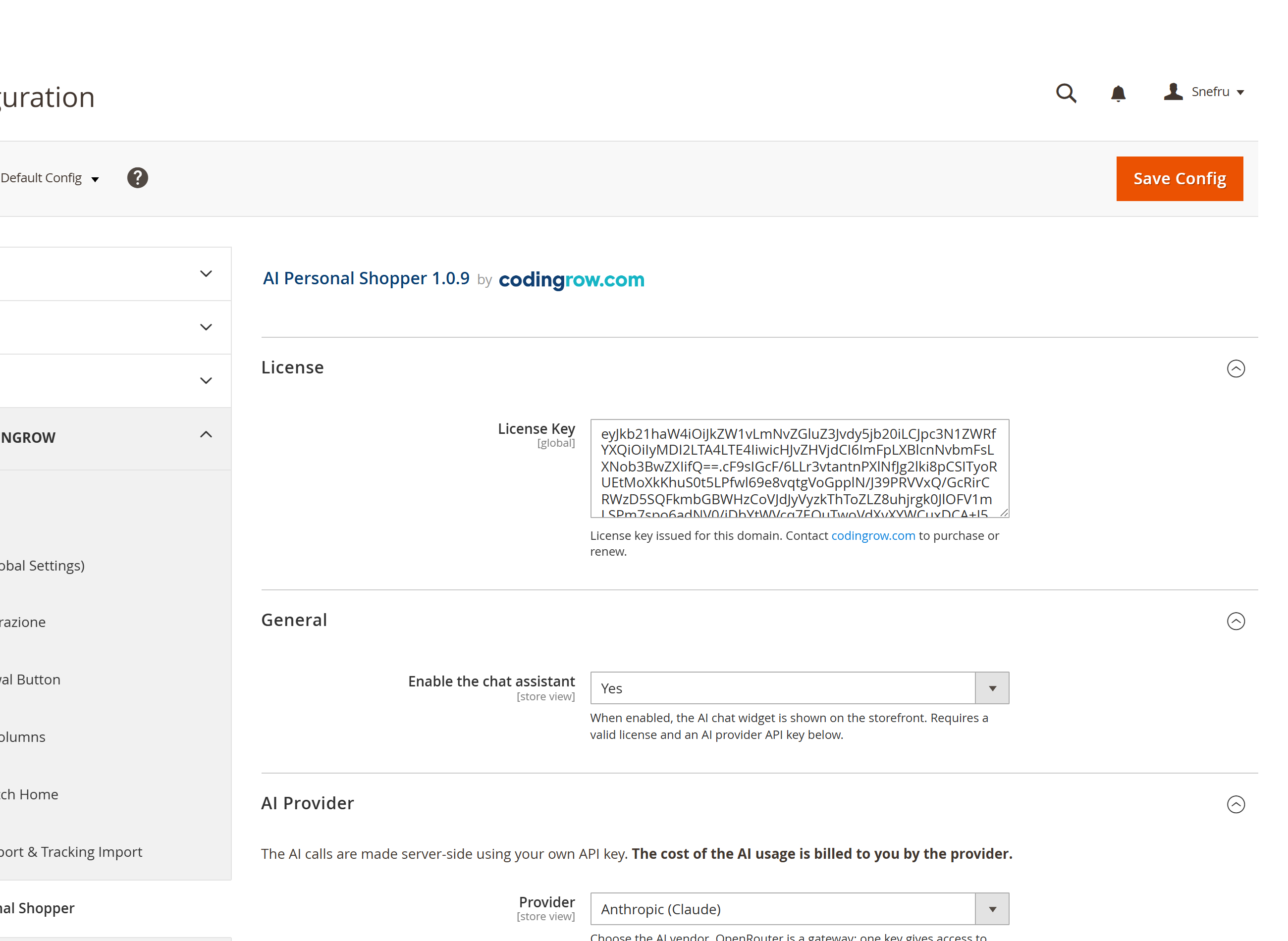
- OpenAI (ChatGPT / GPT models) — the most widely used option, with a broad lineup from fast/cheap to top-tier reasoning models.
- Anthropic (Claude models) — strong instruction-following, a natural fit for a sales assistant that has to stay on-script and grounded.
- Google (Gemini models) — competitive pricing, fast responses, strong multilingual quality.
- OpenRouter — one API key, access to dozens of models across providers; handy for comparing cost and quality without juggling multiple accounts.
A pool of AIs with automatic failover
- One pool, many AIs: label each credential, set a primary and its fallbacks, and reorder them with a click — all in the AI — Models tab.
- Automatic failover on credit, authentication, rate-limit or transient errors: the conversation keeps going, with no human intervention.
- Auto-heal: if a model rejects a parameter (such as temperature or thinking), it retries without it — no per-model whitelist to maintain, so brand-new models just work.
- Mix providers freely: a fast, low-cost model as primary and a premium one as backup, or the other way around — you decide the trade-off.
Load models — with live speed measurement
gemini-flash-latest (0.95s)), with an 'N of M responded' note. You pick a responsive model at a glance instead of guessing an id — and a link right below always shows where to generate the key for the selected provider.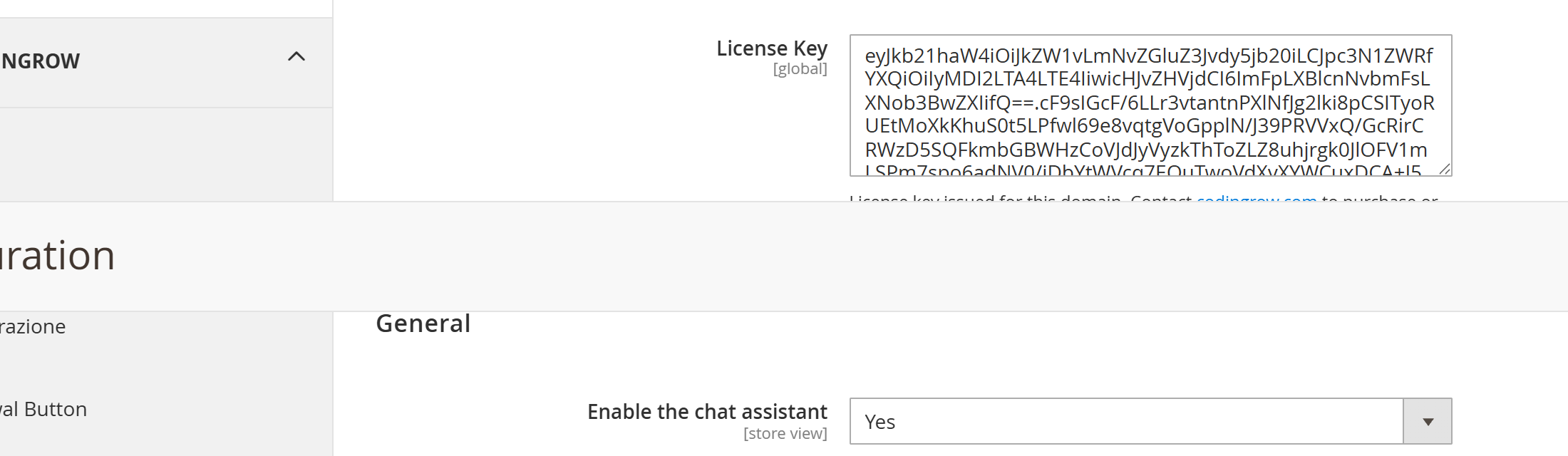
A self-learning synonyms registry — a treasure that grows on its own
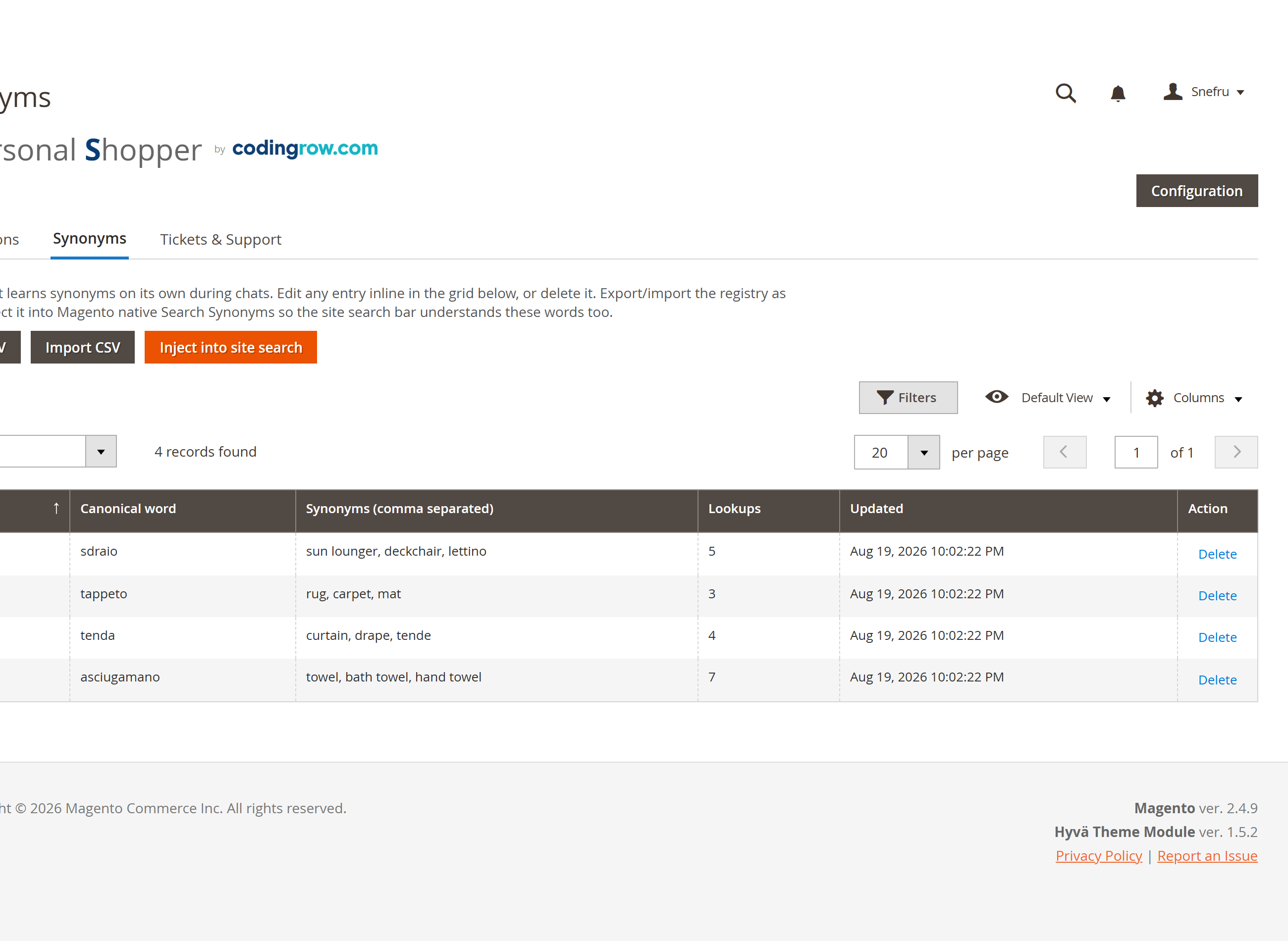
A huge share of lost sales isn't a missing product — it's the wrong search word: a regional name, a dialect term, a typo, a synonym your customers use every day but your catalog doesn't. The agent learns the mapping to the real catalog term automatically, so the next customer searching the same "wrong" word finds the product immediately.
- Learns automatically: every unmatched search the assistant manages to resolve gets recorded against the catalog term that actually matched.
- Paginated, editable registry: correct or delete any learned entry inline from Codingrow → AI Personal Shopper → Synonyms.
- Export and re-import the whole registry as CSV — back it up, bulk-edit it, or move it between environments.
- One click "Inject into site search" writes the registry into Magento's native Search Synonyms, so the storefront search bar benefits too — not just the chat.
- Reads your hand-curated native Search Synonyms as well, so both systems reinforce each other instead of working in isolation.
Better together — the Codingrow catalogue-to-conversion funnel
Personal Shopper doesn't work alone. Four Codingrow modules form a single funnel, from raw feed to closed sale — and each one makes the next stronger.
H 78 · W 80 · D 25
A real support agent, not just a sales script
The assistant is a working member of the team: it resolves the large majority of customer issues on its own — order status, policies, sizing, delivery questions — closing the loop without ever pulling in a human, and avoiding needless contacts. It only escalates when a human is genuinely needed.
- Opens a support ticket when a request truly needs a human: asks for email (required) and, when useful, an order number and a phone/WhatsApp contact.
- Assigns a ticket number and emails the full transcript to the customer, with BCC to your support address.
- The response time shown to the customer is whatever you configure (default "24-48 hours"), so expectations are always accurate.
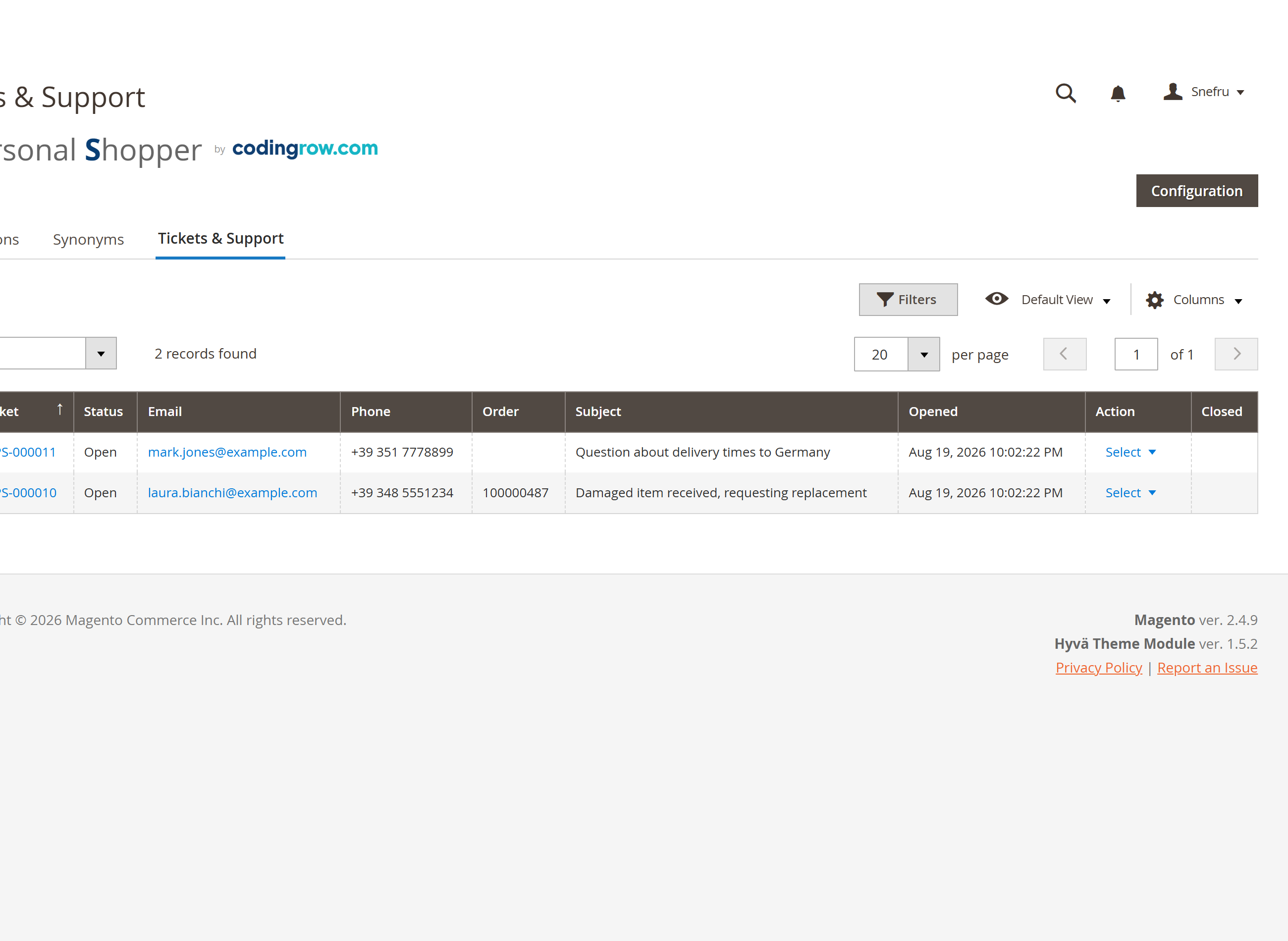
- A dedicated Tickets & Support tab lists every ticket with the full transcript, one click away.
- Mark tickets resolved from the admin, with an optional notification email back to the customer.
- Auto-closes stale tickets after the number of days you configure — nothing lingers open forever.
- Also flags bugs and site problems: conversations reporting something broken are classified separately so your team sees them without a customer having to email anyone.
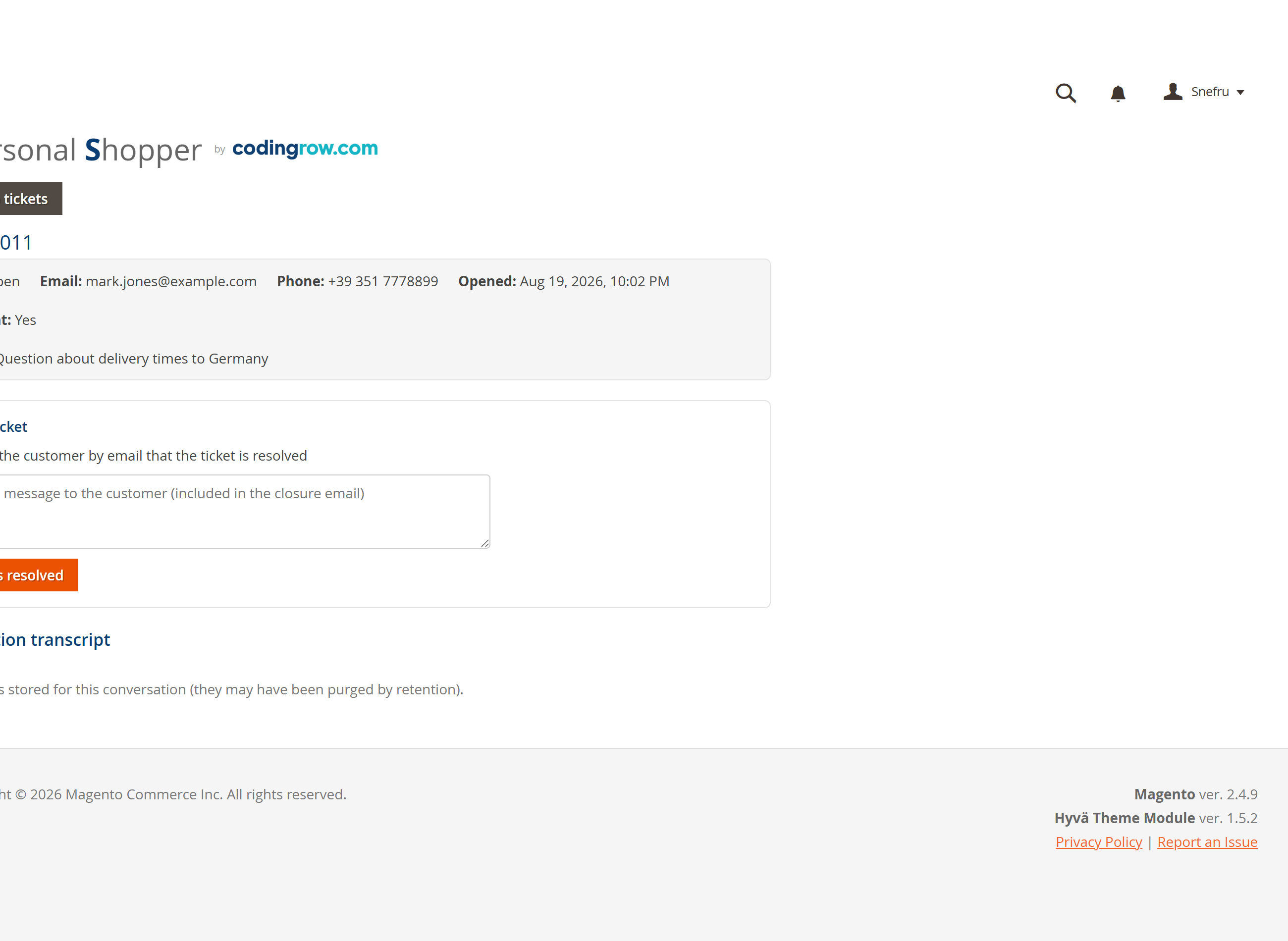
One console for every conversation
Nothing happens off the record: every chat is logged, classified and reviewable from the admin, alongside the tools that make the assistant smarter over time.
- Every conversation is automatically classified as Shopping, Support, Bug report or Possible spam, paginated and filterable by type.
- Open any conversation to read the full thread, including every product card the assistant proposed at each turn.
- A dedicated Synonyms tab for the self-learning registry: edit, export/import CSV, inject into site search.
- A dedicated Tickets & Support tab for every human-support ticket, with full transcript and resolve/close controls.
Safe, predictable, and never at your expense
The assistant is built to stay on-script and to keep your AI budget and your API key under your control.
- All AI calls happen server-side — your API key is never sent to the browser.
- Guardrails keep the assistant on topic: off-topic questions and prompt-injection attempts are declined, not answered.
- Rate limiting protects your AI budget from abuse.
- You pay the provider directly for what you use — Codingrow never marks up or resells AI usage.
- Bot & spam proof. A layered shield stops scanners and bots before any AI call is spent: a one-time proof-of-widget token blocks blind/direct requests to the endpoint, content filters catch injection and vulnerability-scanner payloads, and per-IP limits plus a global daily cap bound the cost even under a distributed attack. Every blocked attempt is logged with IP, user-agent and reason.
Governance and peace of mind
Behind the friendly chat, the tools a store owner needs to sleep at night — full visibility and hard limits on cost.
- Provider-down watchdog: if an AI call fails, you get an email alert (at most one per hour per error) — you know before your customers do.
- "Recent AI calls" panel: the last calls with outcome, model, error and reply, for instant diagnosis.
- AI cost calculator: estimate the cost per chat and how long your budget lasts, before you commit.
- Hard spending guardrails: per-IP rate limits (15 in 60s, 300/day), 30 new chats per IP per day, 60 turns per conversation and a global circuit breaker at 5,000 LLM calls/day — abuse can never run up your bill.
Available in 7 languages
The admin interface and the storefront chat are fully translated:
The chat starts in the store's language and switches automatically to the language the customer writes in.
Requirements
Magento 2.4.x (tested on 2.4.9), PHP 8.1-8.5. Compatible with both the Luma and Hyvä themes (theme-agnostic Shadow DOM widget). Depends on the free Codingrow Core module, installed automatically. Requires an API key from at least one AI provider (OpenAI, Anthropic, Google or OpenRouter) — billed directly to you by the provider.
Documentation
A complete setup guide and field reference with concrete examples — the same level of detail our support uses to help customers.
Where the measurements live in your catalogue
To tell a customer how many pieces they need, the assistant has to know how long one piece is. If your catalogue has dimensional attributes, it reads them from there. If the measurements live inside the names — and on a great many catalogues they do — it reads them from the name, where the unit is written.
Those characteristics are deduced and correctable: they sit in a field on the product page, in plain sight, and whatever is merely supposed sits below a separator line instead of mixing with the certain values. The assistant only does arithmetic on what the product states, and under the quantity it always says where the number came from.
Money-back guarantee
Not satisfied within 30 days of purchase? Request a refund yourself from your account area (codingrow.com/login), no questions asked. The refund is processed instantly, automatically, and the license is deactivated upon confirmation.
Changelog
Recent releases, most recent first.
Tapping a card in the chat now adds the product to the cart. Before, it opened the product page in a new browser tab, the opposite of what someone who has just asked the assistant for that item expects; the page is still one tap away, in a link under the card. At the bottom, a fixed bar shows how many items are in the cart and leads to checkout, counting what the customer put in outside the chat too. And the card of an item already taken says how many pieces, not just that it is in: with several items and different quantities in play, that number is how the customer keeps count, and the carousel itself becomes the list. Fixed: the suggestions after an add to cart got worse as the cart filled up, the assistant declaring an item unavailable when it had simply not found it, and the announcements of items added when it had only shown them.
Configurable, bundle and grouped products are now bought inside the chat: the customer picks size, colour or kit quantities one step at a time, and the product lands in the cart with the right variant. Sold-out options stay visible, greyed out, with a switch to hide them. New Proactive assistant section, all off to begin with: the assistant can prepare pairings after an add to cart made on the shop, or offer a hand to an idle visitor, without ever opening the window by itself. Fixed bundles and grouped products showing € 0.00.
Provider, key and model are set in one place, the AI Models tab: the old AI Provider section has been removed because its fields no longer had any effect. The call log now shows which AI actually replied, even when a backup one steps in. The budget estimator uses your own AI prices instead of a fixed list.
New Dashboard in the console: what the chat put in the cart, chats handled, the real AI cost, and what customers asked for without finding it. Fixes an error that blocked the very first install on a new store. The module now shares anonymous usage counts with codingrow.com, which can be switched off.
What is already in the cart is now obvious at a glance: the card turns green with an "In cart" badge and stays that way. And the matching suggestion no longer arrives late — placeholder cards appear right away and the simulated pause is gone: on the same test conversation, suggestions in 7-9 seconds instead of 22.
The chat now speaks as the store itself. When a product isn't available it stays in the first person — "we don't carry that yet in our catalogue" — instead of referring to the store in the third person, keeping the conversation warm and the door open.
Distinct sessions in the conversations log: when the customer comes back after a pause (over ~5 minutes) a new conversation starts, recorded as a separate entry in the admin log and linked to the previous one by a clickable "Previous session" link — the sessions stay related but distinct, and the assistant still remembers the earlier one to keep continuity for the customer. Logged-in customer: the chat starts straight away, without asking for a name (already known from the account). Identified, searchable customer: the conversations console shows the customer (name, and email if logged in) in a new filterable "Customer" column, so you can quickly find all conversations of a specific customer.
AI pool with automatic failover (AI — Models): configure several AIs (provider, key, model) and pick the primary one; if it fails — out of credit, invalid key, rate-limit or a temporary error — the chat doesn't stop and carries on by itself on the next AI. Model dropdown that verifies and shows only usable models, with support for the latest models (e.g. Claude Sonnet 5) and automatic migration of your existing setup. Optional proactive cross-sell on add-to-cart: it suggests complementary products without ever mentioning the cart. Richer conversations console: the customer's real name, products shown as cards with image and link, and a new Recommended products column.
Real-time product shelf: the cards update every turn as the assistant narrows, reorders and adds related items, steering toward 2-3 options. Optional closing cross-sell (complementary products). New session without repeating the name ritual after a pause. Context of the product page the chat was opened from: implicit questions are resolved about that product (via native URL/url_key). Cart awareness as a signal of interest.
More focused product cards: the assistant chooses which products to show and in what order of relevance, so only items that truly match the request are suggested; it also remembers the products already shown and understands references like 'the second one you showed me'.
Simplified model selection: a "Load models" button populates a dropdown with the real models available for your provider and key, with a manual-entry fallback and a dynamic tip linking to where to get that provider's API key.
Human support via tickets: configurable BCC address, response time, ticket number prefix, mark-resolved with optional notification, and automatic auto-close after N days.
Self-learning synonyms registry (auto-learns from unmatched searches, also reads native Search Synonyms), paginated inline-editable table with CSV export/import and one-click injection into native Search Synonyms, plus full conversation-thread reading from the console.
Category cards with a synthetic label for vague requests, and quick-reply buttons whenever the assistant offers a short list of discrete choices.
First release: AI-powered sales chat for Magento 2, with natural language product search, order status and add-to-cart.