
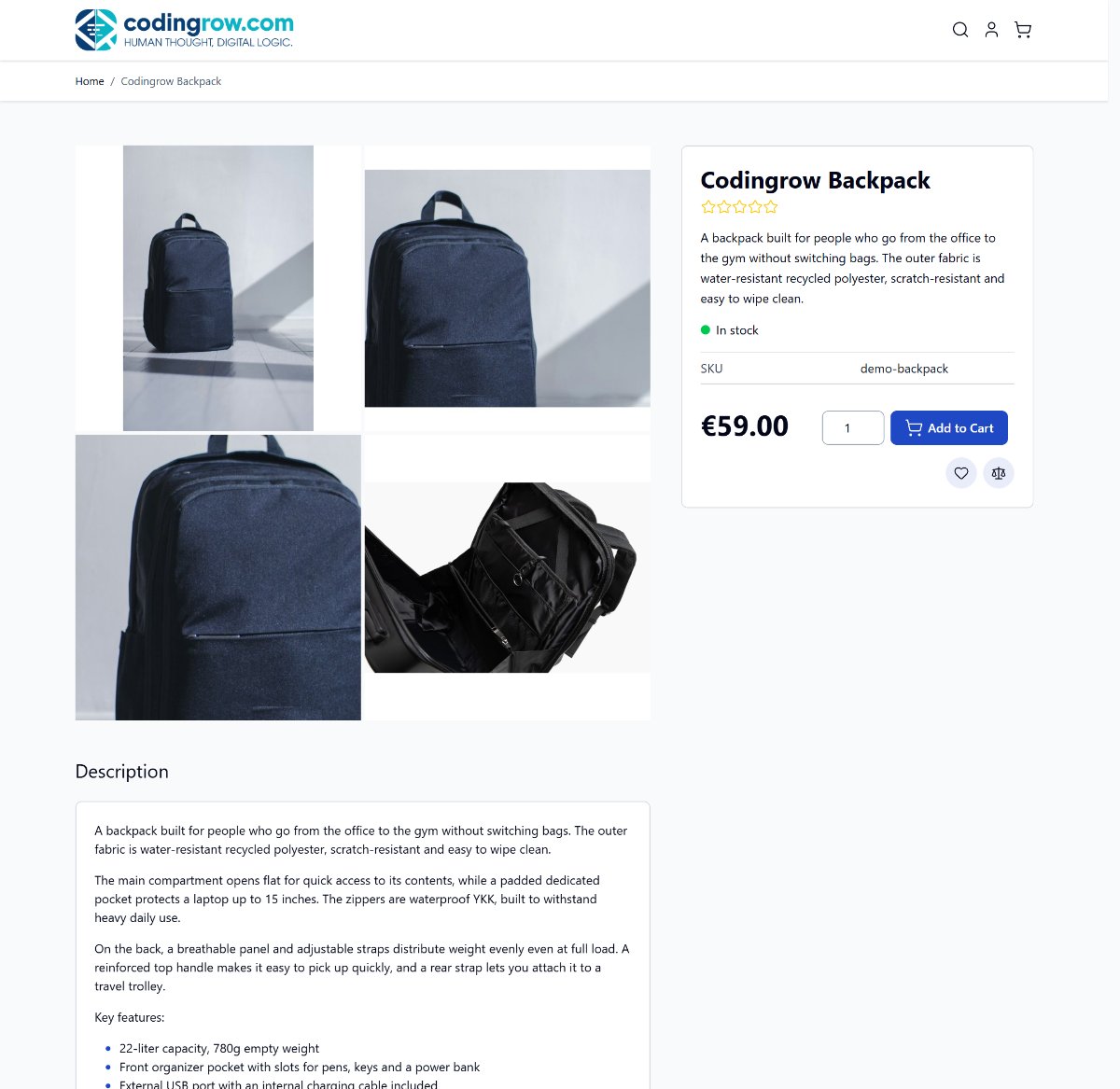
Google can show return and shipping information next to your products in search, but only if the page exposes it as structured data. Out of the box, Magento 2 outputs basic product markup (name, price, availability) and no return policy or shipping details. This guide shows how to add Magento 2 merchant listings structured data with a small native JSON-LD block.
- Understand which fields Magento outputs and which ones are missing
- Build a small module that prints a Product JSON-LD block with return policy and shipping details
- Validate the result and avoid duplicate Product markup
- Know when a ready-made extension is the faster route
Step 1: Check what Magento already outputs
Before you add anything, look at the current markup. Open a product page and test the URL with Google's Rich Results Test, or view the page source and search for itemprop.
- Magento's default themes print schema.org microdata (
itemprop="offers",itemprop="price"and similar). - There is no
hasMerchantReturnPolicyand noshippingDetailsproperty. - Search Console may report these as optional, missing merchant listing fields.
Offer object. That is why we place them inside offers in the JSON-LD below, not at the top level of the product. Step 2: Decide your policy values
Collect the facts first, because the markup must match what customers see on your site. Wrong or invented values can lead to Google ignoring or flagging the data.
- Return window in days (for example
14) - Return method (by mail or in store) and who pays for it
- Countries you ship to
- Shipping cost for the standard rate
- Handling time and transit time in business days
For the country list, check your configuration here:
You should see the same countries you plan to list in shippingDestination.
Keep the policy text on a CMS page too (Content›Pages). Structured data should describe content that is visible to shoppers, not replace it.
Step 3: Create a minimal module
The cleanest native solution is a tiny module (or a theme override) so the code survives theme updates. Create these files under app/code/Codingrow/MerchantSchema/.
registration.php:
<?php
\Magento\Framework\Component\ComponentRegistrar::register(
    \Magento\Framework\Component\ComponentRegistrar::MODULE,
    'Codingrow_MerchantSchema',
    __DIR__
);etc/module.xml:
<?xml version="1.0"?>
<config xmlns:xsi="http://www.w3.org/2001/XMLSchema-instance" xsi:noNamespaceSchemaLocation="urn:magento:framework:Module/etc/module.xsd">
    <module name="Codingrow_MerchantSchema"/>
</config>Step 4: Add the layout file
The layout file puts a block on every product page. It uses the standard product view block, which already knows the current product.
Create view/frontend/layout/catalog_product_view.xml:
<?xml version="1.0"?>
<page xmlns:xsi="http://www.w3.org/2001/XMLSchema-instance" xsi:noNamespaceSchemaLocation="urn:magento:framework:View/Layout/etc/page_configuration.xsd">
    <body>
        <referenceContainer name="content">
            <block class="Magento\Catalog\Block\Product\View" name="codingrow.merchant.jsonld" template="Codingrow_MerchantSchema::product/jsonld.phtml"/>
        </referenceContainer>
    </body>
</page>
Expect the block to render at the end of the main content area. JSON-LD works anywhere in the page, so the position does not matter.
Step 5: Write the JSON-LD template
Create view/frontend/templates/product/jsonld.phtml. We build a PHP array and encode it, which avoids hand-written JSON and escaping bugs.
<?php
/** @var \Magento\Catalog\Block\Product\View $block */
$p = $block->getProduct();
$cur = $p->getStore()->getCurrentCurrencyCode();
$data = [
    '@context' => 'https://schema.org',
    '@type' => 'Product',
    'name' => $p->getName(),
    'sku' => $p->getSku(),
    'image' => $block->getImage($p, 'product_page_image_large')->getImageUrl(),
    'offers' => [
        '@type' => 'Offer',
        'url' => $p->getProductUrl(),
        'priceCurrency' => $cur,
        'price' => number_format((float)$p->getFinalPrice(), 2, '.', ''),
        'availability' => 'https://schema.org/' . ($p->isAvailable() ? 'InStock' : 'OutOfStock'),
        'hasMerchantReturnPolicy' => [
            '@type' => 'MerchantReturnPolicy',
            'applicableCountry' => 'IT',
            'returnPolicyCategory' => 'https://schema.org/MerchantReturnFiniteReturnWindow',
            'merchantReturnDays' => 14,
            'returnMethod' => 'https://schema.org/ReturnByMail',
            'returnFees' => 'https://schema.org/FreeReturn'
        ],
        'shippingDetails' => [
            '@type' => 'OfferShippingDetails',
            'shippingRate' => ['@type' => 'MonetaryAmount', 'value' => '4.90', 'currency' => $cur],
            'shippingDestination' => ['@type' => 'DefinedRegion', 'addressCountry' => 'IT'],
            'deliveryTime' => [
                '@type' => 'ShippingDeliveryTime',
                'handlingTime' => ['@type' => 'QuantitativeValue', 'minValue' => 0, 'maxValue' => 1, 'unitCode' => 'DAY'],
                'transitTime' => ['@type' => 'QuantitativeValue', 'minValue' => 2, 'maxValue' => 4, 'unitCode' => 'DAY']
            ]
        ]
    ]
];
?>
<script type="application/ld+json"><?= /* @noEscape */ json_encode($data, JSON_UNESCAPED_SLASHES | JSON_UNESCAPED_UNICODE | JSON_HEX_TAG) ?></script>- Replace
IT,14,4.90and the day ranges with your real policy. getFinalPrice()is fine for simple products. Configurable and bundle products need extra logic for the price.- Add more
shippingDetailsentries (as an array of objects) if rates differ per country.
Step 6: Enable the module and flush caches
Run these commands from the Magento root:
bin/magento module:enable Codingrow_MerchantSchema
bin/magento setup:upgrade
bin/magento cache:flush
In production mode, also run bin/magento setup:di:compile and deploy static content if your workflow requires it.
Expect the block to appear in the page source of every product page.
Step 7: Validate and avoid duplicate Product entities
Test a product URL with Google's Rich Results Test and the Schema Markup Validator.
- Confirm that
Product,Offer,MerchantReturnPolicyandOfferShippingDetailsare detected. - If the tool lists two Product items, the theme microdata and your JSON-LD overlap.
- In that case remove the
itemscopeanditempropattributes from the theme's overridden templates, so only the JSON-LD remains.
Test on one product first, then on a configurable and an out-of-stock product. Edge cases show up quickly in the validator.
Checklist
- ☐ Policy values (days, fees, countries, rates) match what the storefront and checkout say
- ☐ Module created, enabled, and
setup:upgradeexecuted - ☐ JSON-LD present in the page source of a simple product
- ☐ Configurable and out-of-stock products tested
- ☐ No duplicate Product entities in the Rich Results Test
- ☐ Cache flushed and Search Console monitored for new warnings
Common mistakes
- Return and shipping fields placed on the Product, not the Offer. Move them inside
offers, as in the template above. - Price shown as
12,90or with a currency symbol. Use a plain decimal with a dot, vianumber_format. - Two Product blocks on the page. Remove the theme microdata or limit your output to what is missing.
- Changes not visible. Flush the full page cache and, if used, the CDN or Varnish cache.
- Hard-coded policy forgotten after a change. Update the template whenever your return window or rates change, or move values into configuration.
FAQ
Does Magento 2 add return policy markup by default?
No. The default product markup covers basics such as name, price and availability. Return policy and shipping details need custom or extension-provided structured data.
Will this make my products appear with return info in Google?
It makes your pages eligible, nothing more. Google decides what to display, and it can take days or weeks to recrawl.
JSON-LD or microdata: which one should I use?
Google supports both, and JSON-LD is easier to maintain because it is separate from the HTML. Just avoid duplicating the same entity in both formats.
Can I use different policies per product?
Yes. Read the values from product attributes in the template instead of hard-coding them, for example a custom shipping-time attribute.
A faster alternative
Maintaining a custom module means handling edge cases, product types and policy changes yourself. If you would rather configure this in the admin, Product Page Pro & SEO includes a Merchant listings group with separate switches for return policy and shipping details.
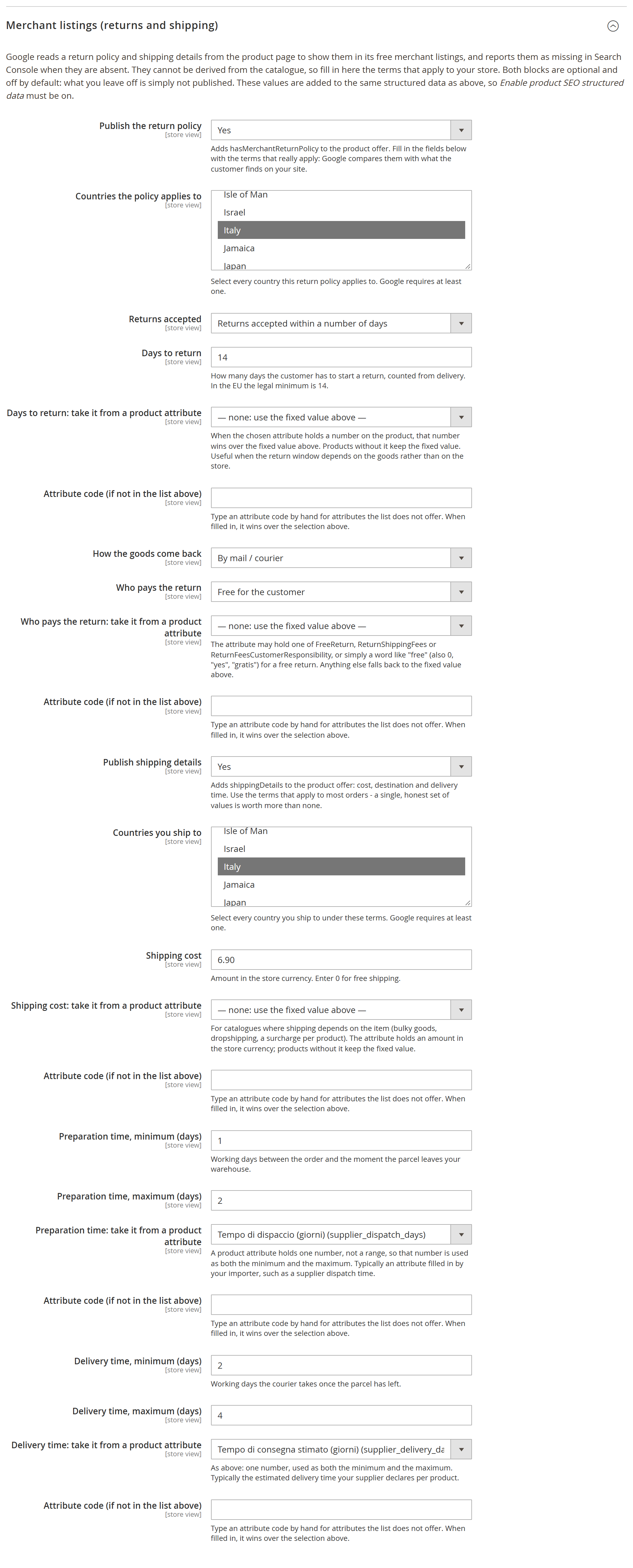
Each figure can also come from a product attribute, for example when an importer fills in preparation and delivery times.
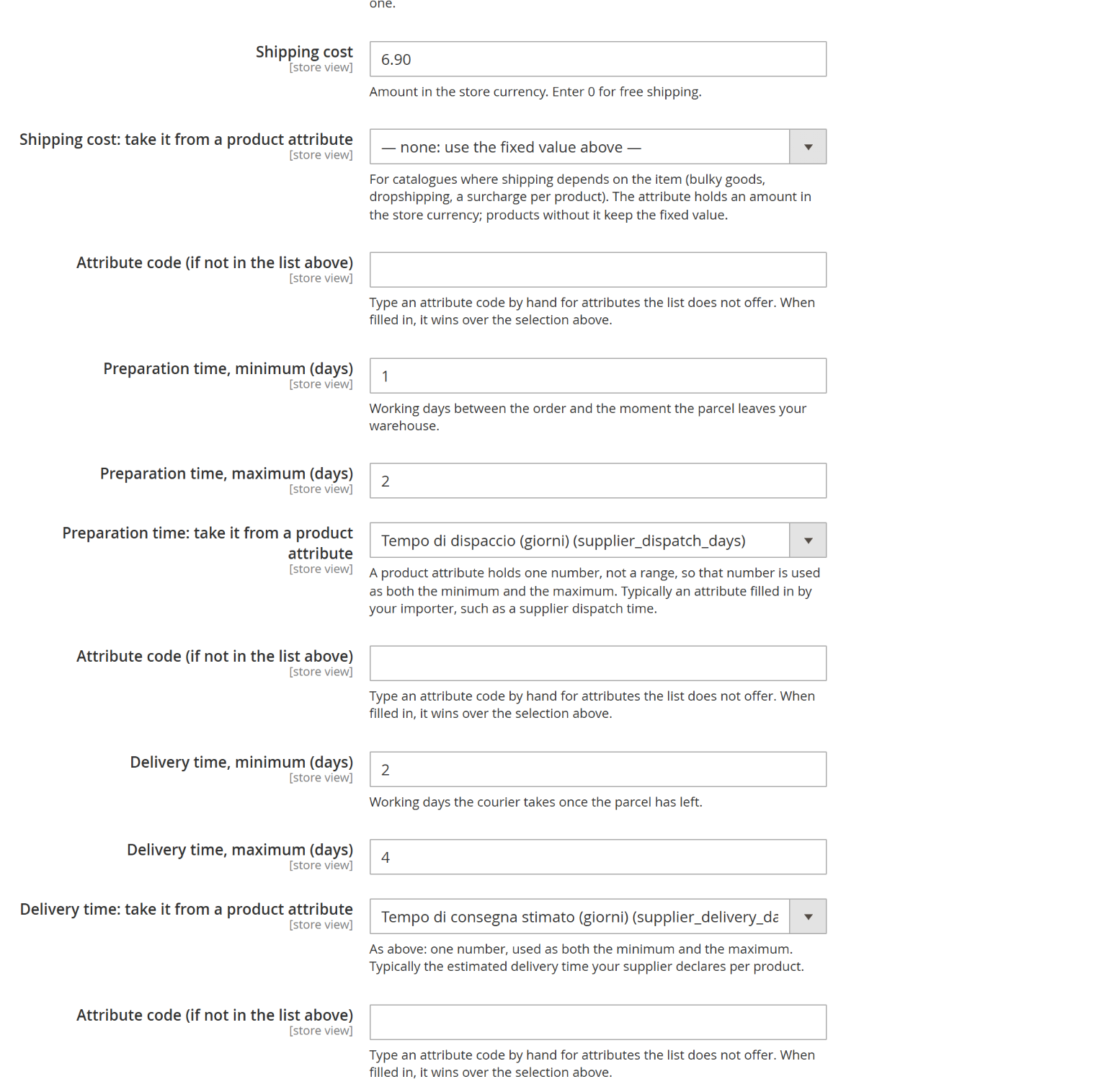
The native route above works well for a single, uniform policy. The extension is worth a look if your values vary by product or you prefer to avoid custom code.
